Migrate users and settings
Pick a database
- First, pick a customer (if you just migrated a customer, the Kund dropdown will be set to that customer.)
- Then, select database from dropdown Databas.
Pick a time
- Select (yes or no in radiobutton) if you want to migrate settings.
- Select time: either click the Schemalägg i natt or click the blank textbox to select time for migration.
- When the time is selected the Översikt button is clickable.
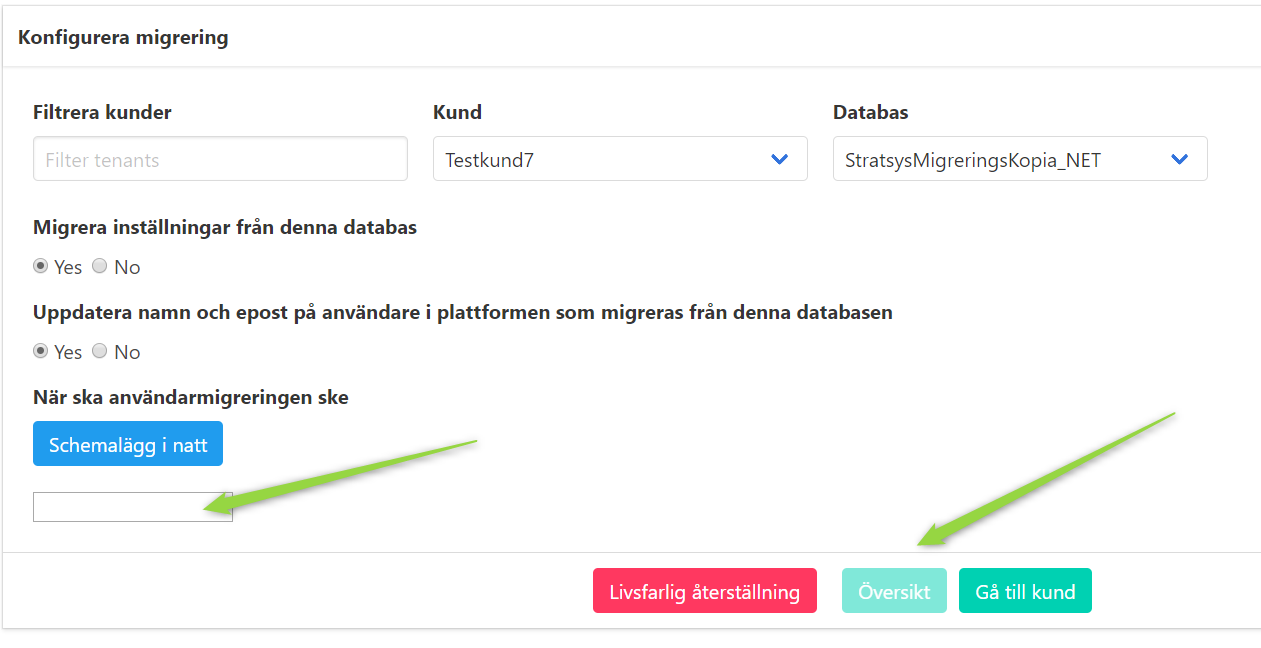
Migrate
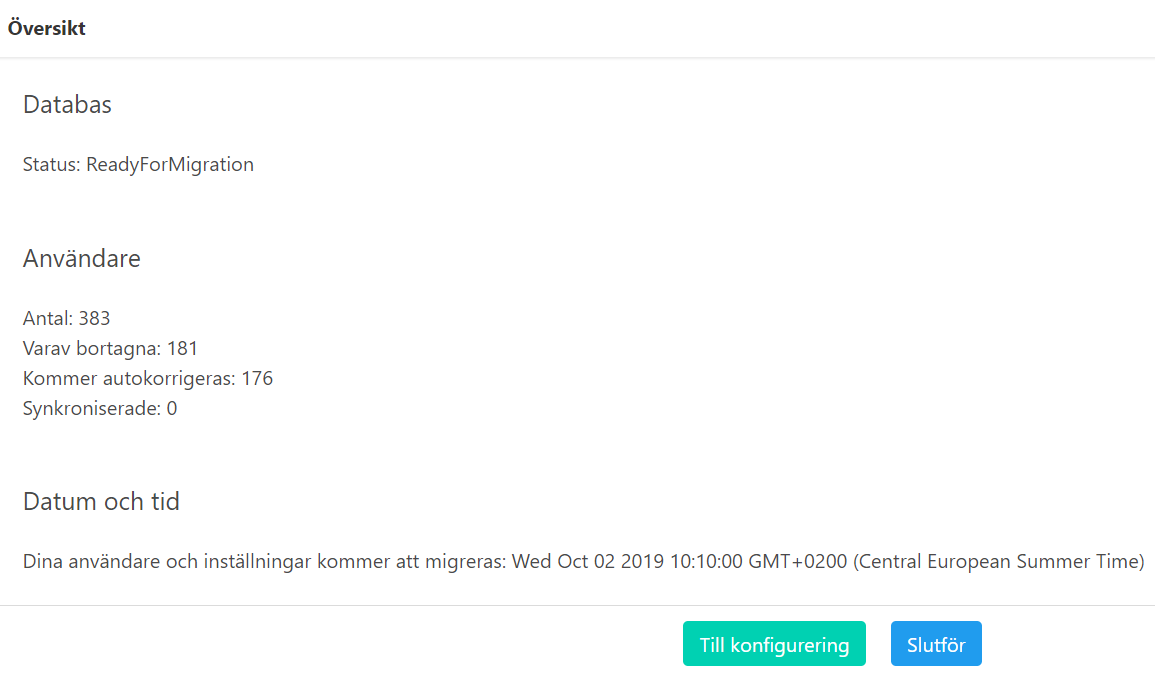
- The overview page shows information about the database
- How many users that will be migrated.
- The migration status for the customer.
- The time when the migration will start.
- Click the Slutför to schedule the migration.
Report
- The reports are found under Rapporter.
- It may take a while before the migration is done and the report is available and visible in the report list.
